
HyNote vs. Krisp: Which AI Meeting Assistant is Right for You in 2026?
Key Takeaways: The 2026 Verdict
- Best for Audio Quality: Krisp (Unmatched noise cancellation and real-time accent conversion).
- Best for Knowledge Management: HyNote (Multi-modal support for PDFs, images, and YouTube links).
- Best for Global Teams: Krisp for live accent clarity; HyNote for multilingual transcription and translation.
In the era of remote work and back-to-back virtual meetings, the "manual note-taker" is becoming a thing of the past. Today, AI-powered tools don’t just record our voices; they filter out our background noise, transcribe our words in real-time, and even draft our follow-up emails.
Two of the most talked-about tools in this space are Krisp and HyNote. While both aim to make meetings more productive, they solve very different problems.
In this guide, we’ll break down the strengths, weaknesses, and key features of both to help you decide which one deserves a spot in your workflow.
1. Krisp: The Gold Standard for Audio Clarity
Krisp originally made a name for itself as the world’s best noise-canceling app. In 2025, it has evolved into a full-scale AI Meeting Assistant that combines crystal-clear audio with powerful transcription.
Key Features:
- AI Noise Cancellation: Krisp’s "bread and butter." It uses AI to remove barking dogs, crying babies, and keyboard clicks from both sides of the call.
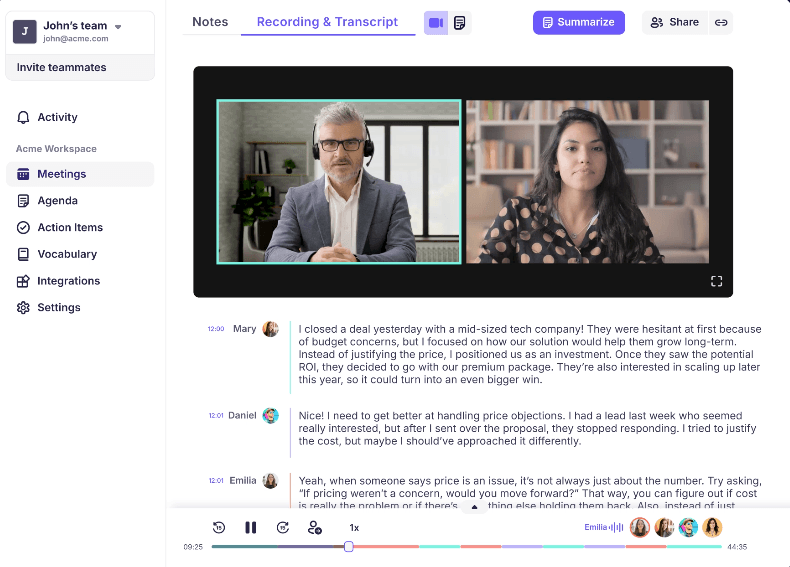
- Bot-Free Transcription: Unlike other tools that send a "Bot" to join your Zoom call, Krisp works silently in the background by capturing your system audio.
- Accent Conversion: A unique feature for global teams—it can subtly adjust accents in real-time to improve intelligibility without losing the speaker's natural voice.
- Seamless Integration: It works with any app that uses a microphone (Zoom, Teams, Meet, Slack, and even specialized VoIP software).
Pros: ✅ Industry-leading noise removal. ✅ Unlimited transcription (even on the free plan). ✅ High privacy (no intrusive bots in the meeting).
Cons: ❌ No advanced editing tools for audio/video. ❌ Requires a stable internet connection for real-time noise processing.
2. HyNote: The All-in-One Knowledge Hub
While Krisp focuses on the quality of the meeting audio, HyNote focuses on the utility of the information. It is designed for users who need to transform meetings, lectures, and documents into a structured knowledge base.
Key Features:
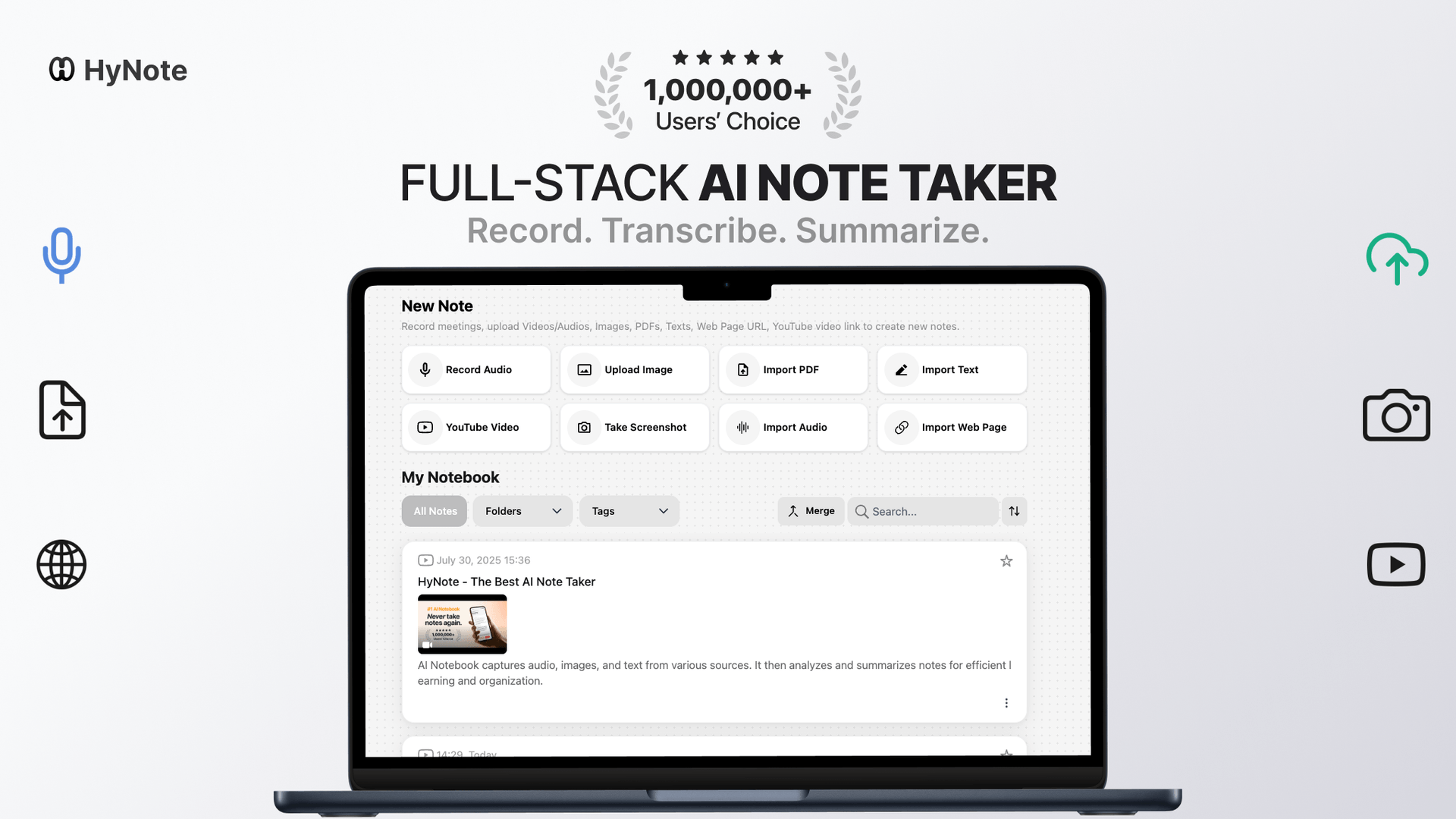
- Multi-Format Inputs: HyNote isn't just for meetings. You can upload PDFs, YouTube links, whiteboard photos, or web pages, and the AI will summarize them all.
- Educational Power-Ups: Unique to HyNote is the ability to turn your notes into flashcards and quizzes, making it a favorite for students and researchers.
- AI Chat with Notes: You can "talk" to your meeting notes. If you forgot a specific detail, just ask the HyNote chatbot, and it will find the answer within your transcript.
- Content Transformation: HyNote can turn a simple text note into a polished presentation or even an infographic card with a single tap.
Pros: ✅ Incredible versatility (meetings, videos, PDFs, and images). ✅ Superior organization with AI-generated tags and categories. ✅ Powerful tools for learning and retention (quizzes/flashcards).
Cons: ❌ Free tier has more limitations on transcription minutes compared to Krisp. ❌ Lacks the specialized noise-canceling hardware-level integration that Krisp offers.
Krisp vs. HyNote at a Glance
Feature Comparison Matrix (2026 Edition)
| Feature | Krisp AI | HyNote AI |
|---|---|---|
| Primary Focus | Audio Clarity & Transcription | Content Organization & Synthesis |
| Noise Cancellation | World-class (Bi-directional) | Basic / Standard |
| Bot Usage | Bot-free (System Audio) | Bot-free / Local Recording |
| Input Sources | Live meetings / Audio files | Meetings, PDFs, YouTube, Images |
| Special Sauce | Accent Conversion | Flashcards, Presentations, AI Chat |
| Best For | Noisy environments & Global calls | Research, Students, & Creators |
Which Should You Choose?
Choose Krisp if... You spend your day on calls in noisy environments (cafes, home offices with kids, etc.). If your priority is ensuring you sound professional and getting a reliable transcript of every word spoken without a bot "crashing" the party, Krisp is the winner.
Choose HyNote if... You are a "knowledge worker" or student. If you need to do more than just record a meeting—if you want to summarize a YouTube video, chat with a 50-page PDF, and then turn those insights into a presentation—HyNote is the more powerful all-in-one productivity tool.
FAQ: Krisp vs. HyNote 2026
Can Krisp record in-person meetings? Yes. Krisp's 2026 updates include high-fidelity support for in-person recording and transcription directly from your laptop or mobile device.
Is HyNote better for multilingual teams? HyNote is excellent for transcribing and summarizing across 50+ languages. However, if your team struggles to understand each other live, Krisp’s Accent Conversion is the superior solution.
Do these tools work with Zoom and Teams? Both tools are platform-agnostic. Krisp works as a virtual audio driver, while HyNote captures audio via its app or web interface, ensuring no "Meeting Bots" are required for either.


